
Clyr
待核實待核實
Clyr automates receipt and invoice capture, matching, and categorization for streamlined expense management.
瀏覽器擴充功能Contact for Pricing官網Paid
綜合評分
—(0 則評價)
chromewebstore.google.com/
Clyr 是什麼?
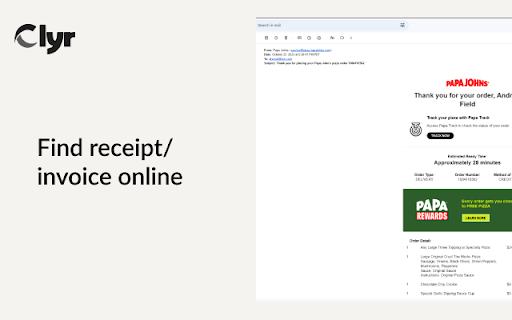
Clyr ai chrome extension? Clyr's Receipt and Invoice Capture is an extension designed to streamline expense and spend management. It automates the process of capturing, matching, and categorizing receipts and invoices, reducing a multi-step process to a quick, automated action.
Clyr automates receipt and invoice capture, matching, and categorization for streamlined expense management.
核心功能
Receipt and Invoice Capture
Seamless Integration with Accounting Platforms
Card Agnostic
Real-Time Notifications
Automated Matching & Smart Categorization
熱門使用情境
- Capture receipts and invoices directly from websites and emails.
- Automatically match receipts to transactions in your account.
- Categorize receipts using AI-powered algorithms.
功能比較
基於工具方提供的資訊進行功能比較。
待核實
比較資訊僅供參考,請以官方網站的最新資訊為準。
如何使用
- 1. Install the Clyr extension. 2. Log in or register for a Clyr account. 3. When you receive a receipt or invoice online
- click the Clyr icon in your toolbar. 4. Snap the image
- and it will be automatically matched and categorized in your Clyr account.
定價
Clyr 採用 Paid 定價模式,價格與功能可能隨時間調整。
Free
$0
待核實
Pro
待核實
待核實
Team
待核實
待核實
Enterprise
待核實
待核實
優惠 / 優惠碼
目前沒有優惠碼。
大家喜歡它的原因
目前還沒有評價標籤。
還有哪些可以改進
目前還沒有評價標籤。
常見問題
驗證資訊
工具狀態
待核實
定價已核驗
待核實
創辦人已認領
否 / 待核實
來源
官網 / 社群提交
相關標籤
AI WritingContent GenerationResearchEmail WritingSummarizationRewritingAcademic Research瀏覽器擴充功能Freemium
你是這個工具的官方團隊嗎?
認領這個資料頁後,你可以更新產品資訊、定價與官方回覆。
