
Clack 是什麼?
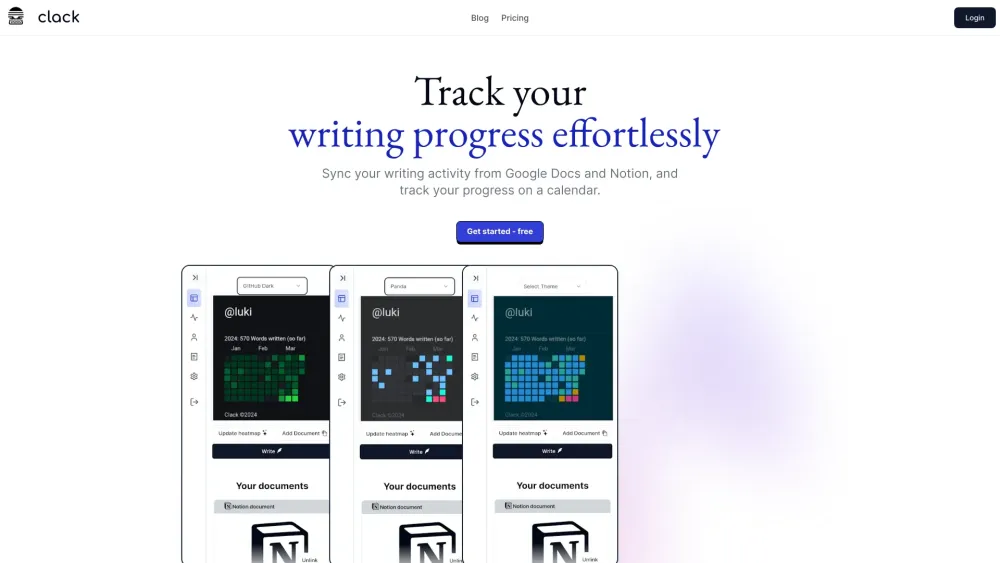
Clack syncs your writing activity from Notion and Google Docs, displaying progress on a calendar, similar to GitHub's commit calendar. It also includes an AI assistant and a Notion-style WYSIWYG editor. Clack helps you track your writing progress effortlessly by syncing your writing activity from Google Docs and Notion, and tracking your progress on a calendar.
Clack tracks writing progress from Notion and Google Docs with a calendar and AI assistant.
核心功能
Sync writing activity from Notion and Google Docs
Display progress on a calendar
AI assistant
Notion-style WYSIWYG editor
Multiple heatmap themes
Secure document storage
Notion Integration
Google Integration
熱門使用情境
- Track writing progress effortlessly
- Visualize writing data and uncover trends
- Enhance writing with AI autocomplete
- Format documents with a modern
- intuitive WYSIWYG editor
功能比較
基於工具方提供的資訊進行功能比較。
待核實
比較資訊僅供參考,請以官方網站的最新資訊為準。
如何使用
- Connect your Notion and Google Docs accounts to Clack. The platform will then sync your writing activity and display your progress on a calendar. Use the AI assistant and Notion-style WYSIWYG editor to enhance your writing.
定價
Clack 採用 Freemium 定價模式,價格與功能可能隨時間調整。
Free
$0
待核實
Pro
待核實
待核實
Team
待核實
待核實
Enterprise
待核實
待核實
優惠 / 優惠碼
目前沒有優惠碼。
大家喜歡它的原因
目前還沒有評價標籤。
還有哪些可以改進
目前還沒有評價標籤。
常見問題
驗證資訊
工具狀態
待核實
定價已核驗
待核實
創辦人已認領
否 / 待核實
來源
官網 / 社群提交
相關標籤
AI WritingContent GenerationResearchEmail WritingSummarizationRewritingAcademic Research瀏覽器擴充功能Freemium
你是這個工具的官方團隊嗎?
認領這個資料頁後,你可以更新產品資訊、定價與官方回覆。
