Yoink Ai

To be verified
Yoink is the AI assistant that works everywhere on your Mac. Write with AI seamlessly, in any application. With a single hotkey, Yoink: 1. Instantly captures your context, whether you’re drafting an email in Gmail, editing a doc, or brainstorming in Notion 2. Generates tailored text right at your cursor, so no more switching tabs, copy-pasting, or breaking your flow 3. Yoink writes for you with the same tone as the existing doc, seamlessly and invisibly, so you can focus on your ideas, not your tools. Key Features include: 1. Universal and Context Aware: Unlike chatbots that interrupt your process, Yoink integrates directly into your workflow, editing or completing your text inline and adapting to your unique style with personalized voices 2. Single Global Shortcut: Wherever you write, just press ⌘⇧Y to activate Yoink instantly—no matter the app, your AI assistant is always one keystroke away, ready to generate or edit text right at your cursor 3. Personalized Voices: Yoink also allows you to create custom writing styles called "Voices" to steer the output. Simply provide a few examples and instructions, and Yoink will generate a personalized voice you can re-use anywhere
AI that auto-grabs context wherever you are in your Mac, and writes for you
WebsiteFreemiumBrowser ExtensionFree TrialPaid
Overall score
(0 reviews)
useyoink.ai/?utm_medium=launch&utm_campaign=yoink_toolify_launch&utm_content=main_listing
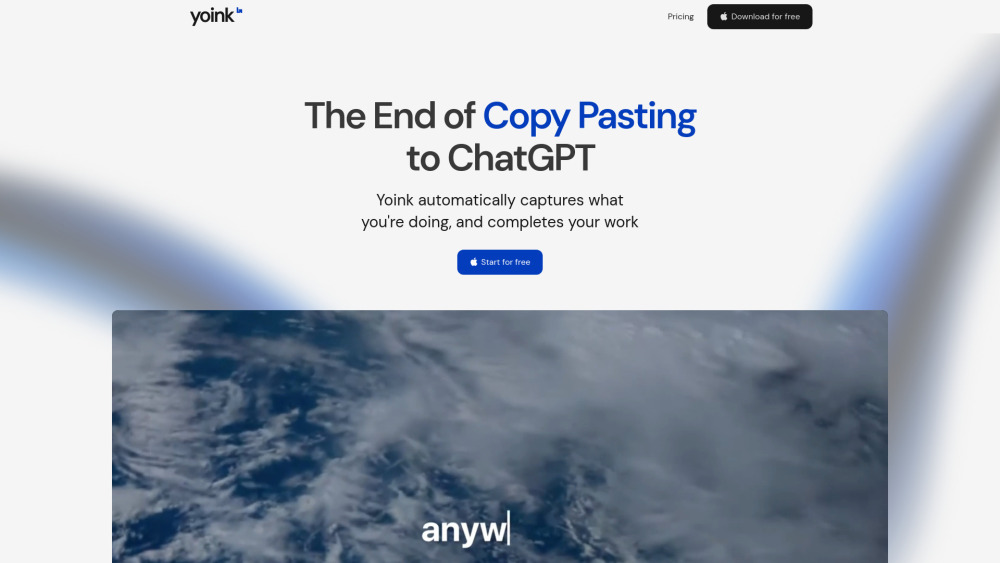
Yoink Ai website screenshot
What is Yoink Ai?

AI that auto-grabs context wherever you are in your Mac, and writes for you

Yoink is the AI assistant that works everywhere on your Mac. Write with AI seamlessly, in any application. With a single hotkey, Yoink: 1. Instantly captures your context, whether you’re drafting an email in Gmail, editing a doc, or brainstorming in Notion 2. Generates tailored text right at your cursor, so no more switching tabs, copy-pasting, or breaking your flow 3. Yoink writes for you with the same tone as the existing doc, seamlessly and invisibly, so you can focus on your ideas, not your tools. Key Features include: 1. Universal and Context Aware: Unlike chatbots that interrupt your process, Yoink integrates directly into your workflow, editing or completing your text inline and adapting to your unique style with personalized voices 2. Single Global Shortcut: Wherever you write, just press ⌘⇧Y to activate Yoink instantly—no matter the app, your AI assistant is always one keystroke away, ready to generate or edit text right at your cursor 3. Personalized Voices: Yoink also allows you to create custom writing styles called "Voices" to steer the output. Simply provide a few examples and instructions, and Yoink will generate a personalized voice you can re-use anywhere

Core Features
Universal Activation: Instantly launch Yoink in any text field on your Mac
To be verified.
Context-Aware Writing: Yoink captures your current context (text and screen) automatically
To be verified.
Inline Editing: Edits appear directly where you left off
To be verified.
Personalized Voices: Create custom voice profiles for your writing by providing examples
To be verified.
Stay in Flow: Keep focused on your ideas and Yoink will handle the words. Never break your creative momentum.
To be verified.
Popular Use Cases
  • Email drafting
    To be verified.
  • Code documentation
    To be verified.
  • Twitter/X posts
    To be verified.
  • Instagram captions
    To be verified.
  • TikTok comments
    To be verified.
  • LinkedIn posts
    To be verified.
  • Reddit posts
    To be verified.
  • Blog outlines
    To be verified.
  • Support replies
    To be verified.
  • Resume editing
    To be verified.
  • Marketing copy
    To be verified.
  • Brainstorming ideas
    To be verified.
Feature Comparison
A functional comparison based on maker input.
To be verified.
Comparison details are provided for informational purposes and should be verified with the official website.
How to use
  • Download the Mac App. After that
  • just press ⌘⇧Y in any text field to activate Yoink. Type your prompt (if any) and Yoink will generate
  • rewrite
  • or complete your text at your cursor. To switch writing styles
  • add a voice (⌘⇧+) to your prompt. You can create custom Voices by providing examples and instructions
  • then apply them anywhere for consistent tone. No setup or switching apps required—Yoink works everywhere you write
  • from emails to docs to chat. Stay in flow and let Yoink handle the words
  • so you can focus on your ideas.
Pricing
Yoink Ai uses a freemium pricing model. Pricing and features may change over time.
Free
$0
To be verified
Pro
To be verified
To be verified
Team
To be verified
To be verified
Enterprise
To be verified
To be verified
Deal / Coupon
No coupon listed.
Why is it fantastic?
No review tags yet.
What can be improved?
No review tags yet.
Frequently Asked Questions

Verification
Tool status
To be verified
Pricing verified
To be verified
Founder claimed
No / To be verified
Source
Official website / Community submitted
Related Tags
AI WritingContent GenerationResearchEmail WritingSummarizationRewritingAcademic ResearchBrowser ExtensionFreemium
Own this tool?
Claim this profile to update product information, pricing, and official answers.