
Upload File For Chatgpt
To be verifiedChatGPT File Uploader ai chrome extension? This Chrome extension allows users to upload files directly into ChatGPT, enabling unlimited uploads and conversations. It supports 50 file formats, drag-and-drop functionality, multiple file uploads, and the ability to discuss YouTube videos. It also includes features like reading image text from the web, scraping data from websites, downloading code files directly from ChatGPT, image-to-text conversion for Midjourney or StableDiffusion, code preview in Codepen/CodeSandbox, and a shortcut (Ctrl + Shift + Q) to ask questions to ChatGPT on any page.
Chrome extension for uploading files to ChatGPT with enhanced features.
Browser ExtensionFreeWebsiteFree TrialFreemium
Overall score
—(0 reviews)
chromewebstore.google.com/detail/upload-file-for-chatgpt/mflpknlcbonicfgikkmlloejpaigjapm
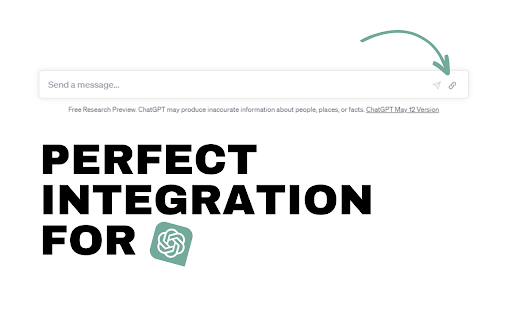
What is Upload File For Chatgpt?
Chrome extension for uploading files to ChatGPT with enhanced features.
ChatGPT File Uploader ai chrome extension? This Chrome extension allows users to upload files directly into ChatGPT, enabling unlimited uploads and conversations. It supports 50 file formats, drag-and-drop functionality, multiple file uploads, and the ability to discuss YouTube videos. It also includes features like reading image text from the web, scraping data from websites, downloading code files directly from ChatGPT, image-to-text conversion for Midjourney or StableDiffusion, code preview in Codepen/CodeSandbox, and a shortcut (Ctrl + Shift + Q) to ask questions to ChatGPT on any page.
Core Features
Direct file upload to ChatGPT
To be verified.
Support for 50 file formats
To be verified.
Drag-and-drop functionality
To be verified.
Multiple file upload
To be verified.
YouTube video discussion
To be verified.
Image text reading from web
To be verified.
Website data scraping
To be verified.
Code download from ChatGPT
To be verified.
Image to Text conversion
To be verified.
Code preview in Codepen/CodeSandbox
To be verified.
Quick question shortcut
To be verified.
Popular Use Cases
- Uploading documents for summarization or analysis in ChatGPTTo be verified.
- Discussing the content of YouTube videos with ChatGPTTo be verified.
- Extracting text from images on websites and using it in ChatGPTTo be verified.
- Scraping data from websites and analyzing it with ChatGPTTo be verified.
- Downloading and using code generated by ChatGPTTo be verified.
- Generating prompts for Midjourney or StableDiffusion from imagesTo be verified.
- Previewing code snippets in Codepen or CodeSandbox directly from ChatGPTTo be verified.
- Asking ChatGPT questions about content on any webpage using a shortcutTo be verified.
Feature Comparison
A functional comparison based on maker input.
To be verified.
Comparison details are provided for informational purposes and should be verified with the official website.
How to use
- Install the Chrome extension. Once installed
- you can upload files directly into the ChatGPT interface. Use drag-and-drop or the upload button. Use Ctrl + Shift + Q to ask questions on any webpage.
Pricing
Upload File For Chatgpt uses a freemium pricing model. Pricing and features may change over time.
Free
$0
To be verified
Pro
To be verified
To be verified
Team
To be verified
To be verified
Enterprise
To be verified
To be verified
Deal / Coupon
No coupon listed.
Why is it fantastic?
No review tags yet.
What can be improved?
No review tags yet.
Frequently Asked Questions
Verification
Tool status
To be verified
Pricing verified
To be verified
Founder claimed
No / To be verified
Source
Official website / Community submitted
Related Tags
AI WritingContent GenerationResearchEmail WritingSummarizationRewritingAcademic ResearchBrowser ExtensionFreemium
Own this tool?
Claim this profile to update product information, pricing, and official answers.