
Stagewise
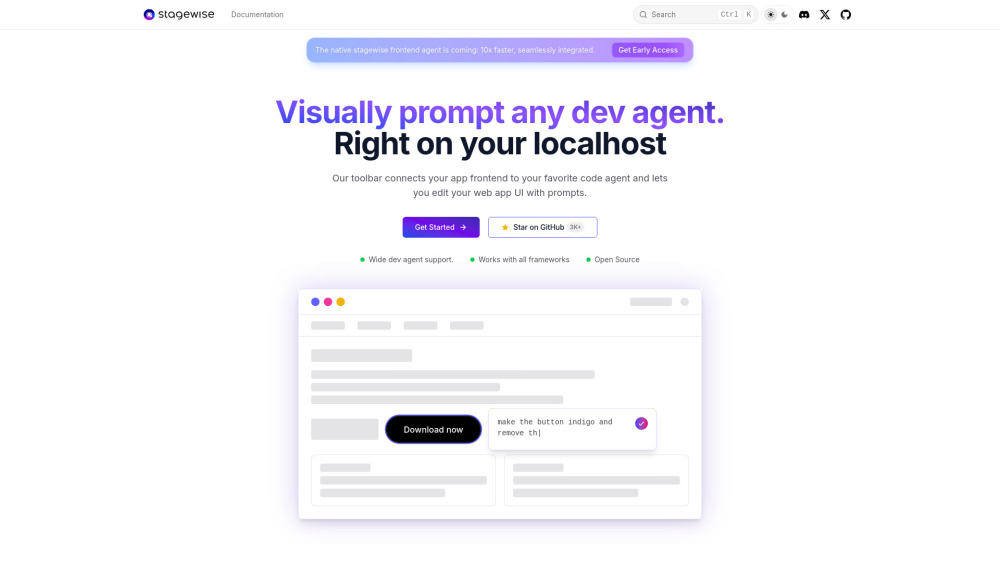
To be verifiedstagewise is a tool that integrates an AI development agent directly into an application's dev mode, enabling "visual vibe coding" within the codebase. It connects the app's frontend to a user's preferred AI code agent, sending rich context such as DOM elements, screenshots, and metadata. This allows users to edit their web application UI using natural language prompts. It offers seamless integration with popular frontend frameworks like React, Vue, Angular, and Next.js, and supports various AI coding assistants.
Integrates AI dev agents for visual UI editing with prompts.
FreeWebsiteContact for PricingPaid
Overall score
—(0 reviews)
stagewise.io/
What is Stagewise?
Integrates AI dev agents for visual UI editing with prompts.
stagewise is a tool that integrates an AI development agent directly into an application's dev mode, enabling "visual vibe coding" within the codebase. It connects the app's frontend to a user's preferred AI code agent, sending rich context such as DOM elements, screenshots, and metadata. This allows users to edit their web application UI using natural language prompts. It offers seamless integration with popular frontend frameworks like React, Vue, Angular, and Next.js, and supports various AI coding assistants.
Core Features
Visual UI editing with AI prompts
Sends rich context (DOM elements, screenshots, metadata) to AI agents
Seamless integration with popular frontend frameworks (React, Vue, Angular, Svelte, Next.js, Nuxt)
Compatible with various AI coding assistants (Cursor, GitHub Copilot, etc.)
Simple setup and works out of the box
Customizable via configuration files
Zero impact on production app bundle size
Live commenting on browser elements
Popular Use Cases
- Accurately tweaking UI elements using natural language prompts.
- Simplifying UI changes, especially for code not originally written by the user.
- Improving developer productivity and streamlining collaboration between designers and developers.
- Making complex frontend tasks easier and more enjoyable.
Feature Comparison
A functional comparison based on maker input.
To be verified.
Comparison details are provided for informational purposes and should be verified with the official website.
How to use
- To use stagewise
- first install its extension from your code editor's marketplace (e.g.
- Cursor
- VS Code). Next
- install and inject the stagewise toolbar into your web app. This can be done via an AI-assisted setup (e.g.
- CMD + Shift + P and enter `setupToolbar` in Cursor) or a manual setup guide. Once the toolbar is injected
- it automatically connects to the extension. Finally
- start your app in dev mode
- and the toolbar will appear
- allowing you to begin editing your web app UI with prompts.
Pricing
Stagewise uses a freemium pricing model. Pricing and features may change over time.
Free
$0
To be verified
Pro
To be verified
To be verified
Team
To be verified
To be verified
Enterprise
To be verified
To be verified
Deal / Coupon
No coupon listed.
Why is it fantastic?
No review tags yet.
What can be improved?
No review tags yet.
Frequently Asked Questions
Verification
Tool status
To be verified
Pricing verified
To be verified
Founder claimed
No / To be verified
Source
Official website / Community submitted
Related Tags
AI WritingContent GenerationResearchEmail WritingSummarizationRewritingAcademic ResearchBrowser ExtensionFreemium
Own this tool?
Claim this profile to update product information, pricing, and official answers.