S
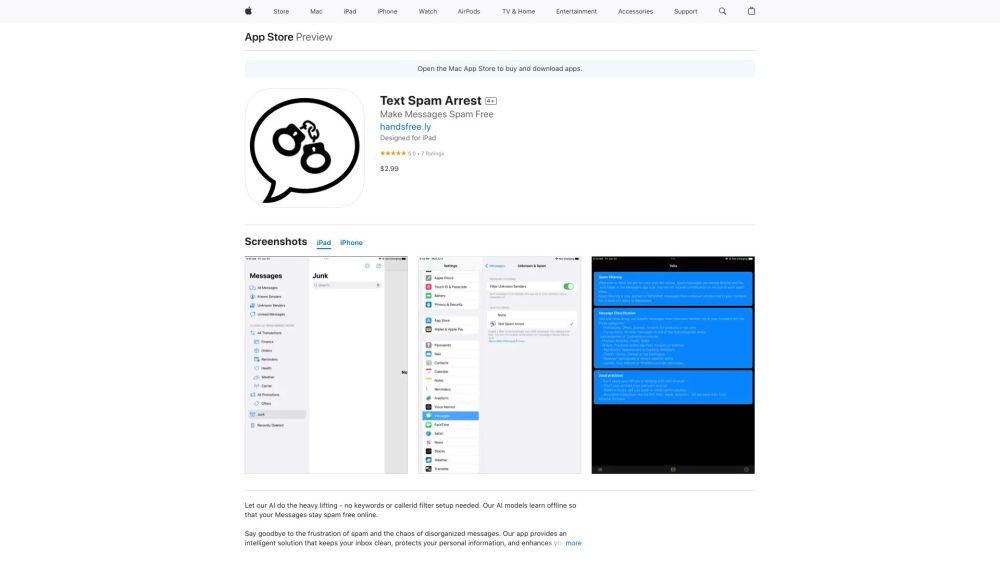
To be verifiedText Spam Arrest is an app designed to filter unwanted text messages and organize non-spam messages into sub-folders, reducing inbox clutter. It uses an AI engine trained on the entire English vocabulary and various types of scams to detect and filter spam automatically, without requiring manual keyword entry. The app aims to protect users from text message scams, which caused significant financial losses in 2022, by identifying and categorizing messages from unknown senders.
AI-powered app to filter spam texts and organize messages automatically.
AppFreemiumWebsiteFreeFree Trial
Overall score
—(0 reviews)
apps.apple.com/us/app/spam-arrest-filter/id6450552880
What is S?
AI-powered app to filter spam texts and organize messages automatically.
Text Spam Arrest is an app designed to filter unwanted text messages and organize non-spam messages into sub-folders, reducing inbox clutter. It uses an AI engine trained on the entire English vocabulary and various types of scams to detect and filter spam automatically, without requiring manual keyword entry. The app aims to protect users from text message scams, which caused significant financial losses in 2022, by identifying and categorizing messages from unknown senders.
Core Features
Automatic AI spam filtering (no manual keyword entry needed)
Message classification for non-spam messages into sub-folders
Detection of imposter scams, online shopping scams, prize scams, investment scams, and job opportunity scams
Organization of messages from unknown senders into categories like Promotions, Transactions, Finance, Orders, Reminders, Health, Weather, and Carrier
Popular Use Cases
- Filtering spam messages containing suspicious URLs from FB marketplace sales
- Automatically sorting shipment notifications into an 'Orders' folder
- Categorizing doctor's appointment reminders into a 'Health' folder
- Protecting users from phishing messages related to banking, credit cards, and online services
Feature Comparison
A functional comparison based on maker input.
To be verified.
Comparison details are provided for informational purposes and should be verified with the official website.
How to use
- After installing the app
- go to Settings->Messages->Unknown & Spam. Click on the "Filter Unknown Senders" button. Then choose "Spam Arrest Filter". Open your Apple Messages app to see the organized folders.
Pricing
S uses a freemium pricing model. Pricing and features may change over time.
Text Spam Arrest Subscription
$2.99
In-App Purchase
Deal / Coupon
No coupon listed.
Why is it fantastic?
No review tags yet.
What can be improved?
No review tags yet.
Frequently Asked Questions
Verification
Tool status
To be verified
Pricing verified
To be verified
Founder claimed
No / To be verified
Source
Official website / Community submitted
Related Tags
AI WritingContent GenerationResearchEmail WritingSummarizationRewritingAcademic ResearchBrowser ExtensionFreemium
Own this tool?
Claim this profile to update product information, pricing, and official answers.