
Screenova
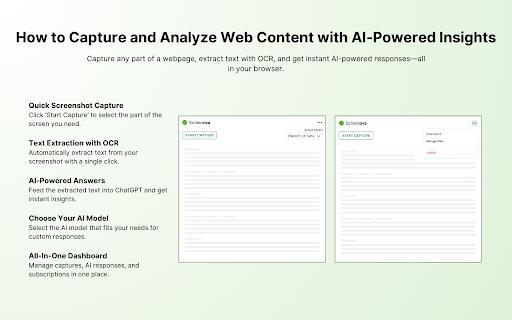
To be verifiedScreenova ai chrome extension? Screenova is a Chrome extension that enhances your browsing experience by allowing users to capture web page screenshots and use advanced AI and Optical Character Recognition (OCR) technology to extract, analyze, and transform text. Key features include generating explanations, summaries, and action items from screenshots, solving questions efficiently, and offering model selection from tools like ChatGPT 3.5 and 4. This tool simplifies workflow and boosts productivity by providing quick insights and text extraction from images.
Screenova is a Chrome extension for screenshot capture, text extraction, and AI-powered analysis.
Browser ExtensionFreemiumPaidFreeWebsite
Overall score
—(0 reviews)
chromewebstore.google.com/detail/screenova/fmhekgellkjicpokedhgoealchlgpcom
What is Screenova?
Screenova is a Chrome extension for screenshot capture, text extraction, and AI-powered analysis.
Screenova ai chrome extension? Screenova is a Chrome extension that enhances your browsing experience by allowing users to capture web page screenshots and use advanced AI and Optical Character Recognition (OCR) technology to extract, analyze, and transform text. Key features include generating explanations, summaries, and action items from screenshots, solving questions efficiently, and offering model selection from tools like ChatGPT 3.5 and 4. This tool simplifies workflow and boosts productivity by providing quick insights and text extraction from images.
Core Features
Screenshot capture
AI-powered text extraction and analysis
Optical Character Recognition (OCR)
Text transformation
Explanation and summary generation
Action item creation
Model selection (ChatGPT 3.5 and 4)
Popular Use Cases
- Quickly extract text from images and screenshots.
- Generate summaries of articles or documents.
- Identify action items from meeting notes or presentations.
- Solve questions efficiently using AI analysis of visual content.
Feature Comparison
A functional comparison based on maker input.
To be verified.
Comparison details are provided for informational purposes and should be verified with the official website.
How to use
- Install the Screenova Chrome extension. Capture a screenshot of a webpage. Use the AI and OCR features to extract
- analyze
- and transform the text within the screenshot. Generate explanations
- summaries
- and action items. Select your preferred AI model (ChatGPT 3.5 or 4) for enhanced analysis.
Pricing
Screenova uses a freemium pricing model. Pricing and features may change over time.
Free
$0
To be verified
Pro
To be verified
To be verified
Team
To be verified
To be verified
Enterprise
To be verified
To be verified
Deal / Coupon
No coupon listed.
Why is it fantastic?
No review tags yet.
What can be improved?
No review tags yet.
Frequently Asked Questions
Verification
Tool status
To be verified
Pricing verified
To be verified
Founder claimed
No / To be verified
Source
Official website / Community submitted
Related Tags
AI WritingContent GenerationResearchEmail WritingSummarizationRewritingAcademic ResearchBrowser ExtensionFreemium
Own this tool?
Claim this profile to update product information, pricing, and official answers.