Pixpretty

To be verified
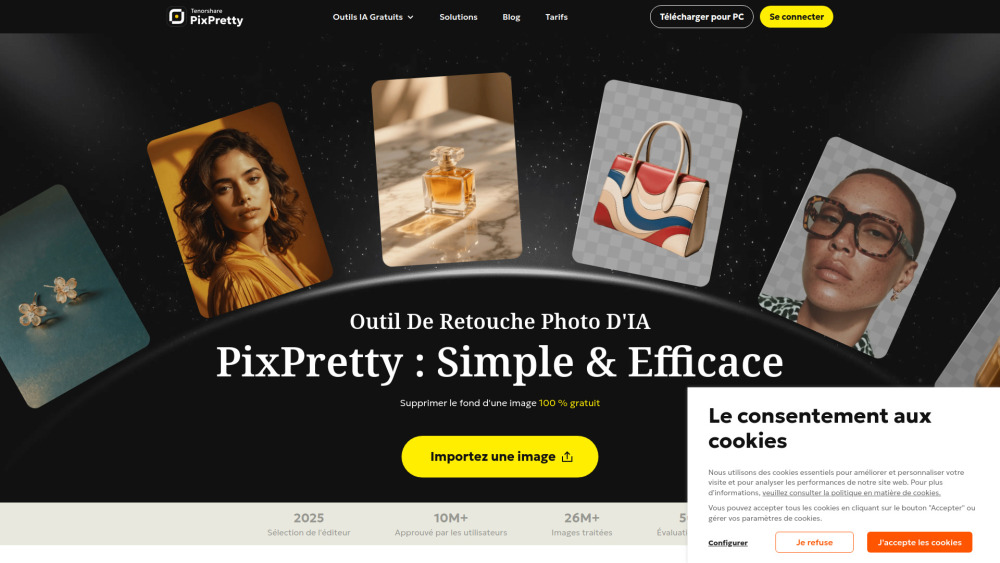
Tenorshare PixPretty is a free online AI photo editing tool designed for efficient image manipulation. It leverages advanced AI, trained on millions of real images, to effortlessly remove even complex backgrounds in just 3 seconds. The platform offers a wide range of features including AI background editing (changing color, replacing with predefined or custom backgrounds, adding white backgrounds), efficient batch processing (background removal, resizing, compression, renaming), and image format conversion (WEBP to PNG, JPG to PNG, JFIF to PNG, PNG to JPG). PixPretty also provides AI portrait retouching, image resizing, and compression tools. A PC version is available, primarily focused on AI portrait retouching. It supports various common image formats such as PNG, JPEG, and WebP, aiming to simplify photo editing for both personal and commercial use.
AI photo editor for background removal, batch processing, and image enhancement.
WebsiteFreemiumFreeFree TrialContact for Pricing
Overall score
(0 reviews)
pixpretty.tenorshare.ai/
Pixpretty website screenshot
What is Pixpretty?

AI photo editor for background removal, batch processing, and image enhancement.

Tenorshare PixPretty is a free online AI photo editing tool designed for efficient image manipulation. It leverages advanced AI, trained on millions of real images, to effortlessly remove even complex backgrounds in just 3 seconds. The platform offers a wide range of features including AI background editing (changing color, replacing with predefined or custom backgrounds, adding white backgrounds), efficient batch processing (background removal, resizing, compression, renaming), and image format conversion (WEBP to PNG, JPG to PNG, JFIF to PNG, PNG to JPG). PixPretty also provides AI portrait retouching, image resizing, and compression tools. A PC version is available, primarily focused on AI portrait retouching. It supports various common image formats such as PNG, JPEG, and WebP, aiming to simplify photo editing for both personal and commercial use.

Core Features
AI Background Removal
Batch Photo Editing
AI Portrait Retouching
Image Resizer
Image Compressor
Image Format Converter
Background Changer
Popular Use Cases
  • E-commerce product photo editing
  • Web design and graphic creation
  • ID photo preparation
  • Social media content creation
  • Marketing material enhancement
  • General photo enhancement for personal projects
Feature Comparison
A functional comparison based on maker input.
To be verified.
Comparison details are provided for informational purposes and should be verified with the official website.
How to use
  • To use Tenorshare PixPretty
  • simply import an image onto the platform. The advanced AI tools will then automatically process and edit your photos
  • allowing you to apply various features such as background removal
  • batch editing
  • or portrait retouching with ease. You can start creating stunning images immediately after importing your photo.
Pricing
Pixpretty uses a freemium pricing model. Pricing and features may change over time.
Free (Monthly)
0€
5 daily credits (login required), Free background removal, Preview downloads (no watermark), Ad-free, Free photo backgrounds.
Plus (Monthly)
12.99€/month
200 monthly credits, Free background removal, HD downloads (no watermark), Ad-free, Batch processing up to 50 images, Advanced editing and AI tools, Faster image processing, Free photo backgrounds.
Pro (Monthly)
39.99€/month
1000 monthly credits, Free background removal, HD downloads (no watermark), Ad-free, Batch processing up to 50 images, Advanced editing and AI tools, Faster image processing, Free photo backgrounds.
Free (Annual)
0€
5 daily credits (login required), Free background removal, Preview downloads (no watermark), Ad-free, Free photo backgrounds.
Plus (Annual)
9.09€/month (109.12€/year)
200 monthly credits, Free background removal, HD downloads (no watermark), Ad-free, Batch processing up to 50 images, Advanced editing and AI tools, Faster image processing, Free photo backgrounds. (30% off for the first year)
Pro (Annual)
27.99€/month (335.92€/year)
1000 monthly credits, Free background removal, HD downloads (no watermark), Ad-free, Batch processing up to 50 images, Advanced editing and AI tools, Faster image processing, Free photo backgrounds. (30% off for the first year)
Deal / Coupon
No coupon listed.
Why is it fantastic?
No review tags yet.
What can be improved?
No review tags yet.
Frequently Asked Questions

Verification
Tool status
To be verified
Pricing verified
To be verified
Founder claimed
No / To be verified
Source
Official website / Community submitted
Related Tags
AI WritingContent GenerationResearchEmail WritingSummarizationRewritingAcademic ResearchBrowser ExtensionFreemium
Own this tool?
Claim this profile to update product information, pricing, and official answers.