
Piny
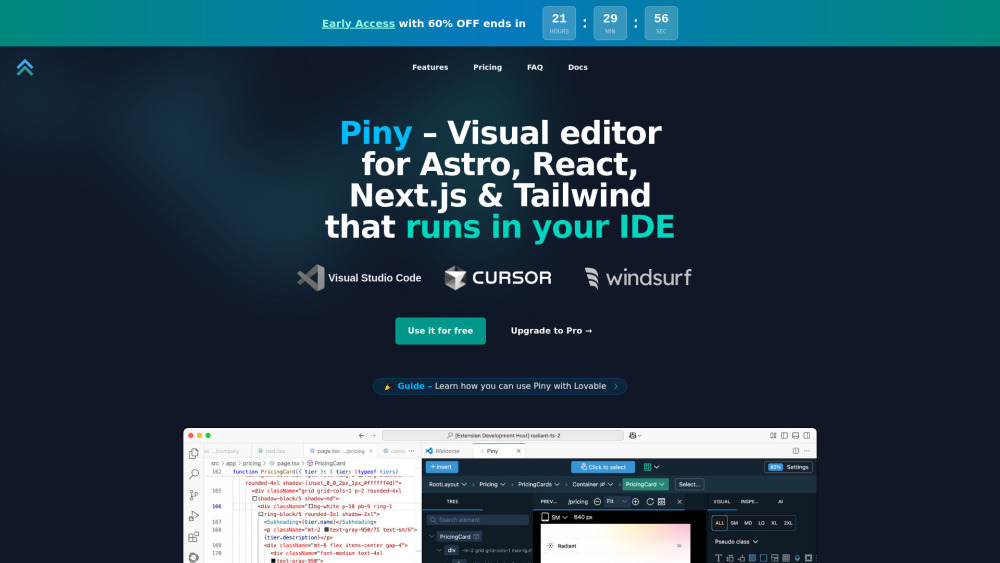
To be verifiedPiny is a powerful visual editor that runs directly in Visual Studio Code, Cursor, and Windsurf. It supports Tailwind CSS, Astro, React, and Next.js. All edits happen directly in the code, ensuring no abstractions, no cloud services, and no lock-in. It allows developers to edit code visually, navigate components, and streamline styling without special libraries or extra setup. Piny is built for speed and control, working alongside or independently of coding assistants, and is compatible with any React or Next.js project.
Visual editor for Astro, React, Next.js, and Tailwind CSS in your IDE.
FreemiumFree TrialPaidWebsite
Overall score
—(0 reviews)
getpiny.com/
What is Piny?
Visual editor for Astro, React, Next.js, and Tailwind CSS in your IDE.
Piny is a powerful visual editor that runs directly in Visual Studio Code, Cursor, and Windsurf. It supports Tailwind CSS, Astro, React, and Next.js. All edits happen directly in the code, ensuring no abstractions, no cloud services, and no lock-in. It allows developers to edit code visually, navigate components, and streamline styling without special libraries or extra setup. Piny is built for speed and control, working alongside or independently of coding assistants, and is compatible with any React or Next.js project.
Core Features
Visual Tailwind Controls
Tailwind Class Inspector
Edit Tailwind Classes Everywhere
Component Navigation
AI Powered Drag & Drop
Visual Select
Edit Multiple Elements at the Same Time
Navigate the Whole Project
Import Your Custom Tailwind Theme
Popular Use Cases
- Visually styling elements with Tailwind CSS
- Managing complex Tailwind styles in an organized tree
- Editing Tailwind classes within strings, variables, and non-React/Astro code
- Quickly jumping between components and associating routes for relevant previews
- Building UI visually using AI-assisted drag and drop
- Selecting and styling multiple elements simultaneously
- Exploring and navigating components across an entire project
- Customizing visual controls with custom Tailwind configurations
Feature Comparison
A functional comparison based on maker input.
To be verified.
Comparison details are provided for informational purposes and should be verified with the official website.
How to use
- To use Piny
- first install the Piny extension directly from the extension marketplace for your preferred IDE (e.g.
- VS Code Marketplace). Once installed
- right-click anywhere in your code and select "Edit in Piny" to begin styling with visual controls. Piny works with Astro
- React
- or Next.js projects.
Pricing
Piny uses a freemium pricing model. Pricing and features may change over time.
Piny Free
$0 /year
Enjoy basic features at no cost. Includes Visual Tailwind Controls, Tailwind Class Inspector, Navigate the component structure, Edit Tailwind classes everywhere, AI powered Drag & Drop, Community support.
Piny Pro (Early Access)
US$49.00 /year + tax
60% OFF, available until May 28, 2025. Includes all Free features plus Visual select, Edit multiple elements, Navigate the whole project, Import your custom Tailwind theme, Priority email support, and locks in the discounted price.
Piny Pro (Regular)
US$120.00 /year + tax
Full feature set at the standard rate after Early Access ends. Includes all Free features plus Visual select, Edit multiple elements, Navigate the whole project, Import your custom Tailwind theme, Priority email support.
Deal / Coupon
No coupon listed.
Why is it fantastic?
No review tags yet.
What can be improved?
No review tags yet.
Frequently Asked Questions
Verification
Tool status
To be verified
Pricing verified
To be verified
Founder claimed
No / To be verified
Source
Official website / Community submitted
Related Tags
AI WritingContent GenerationResearchEmail WritingSummarizationRewritingAcademic ResearchBrowser ExtensionFreemium
Own this tool?
Claim this profile to update product information, pricing, and official answers.