
Gptenhancer
To be verifiedGPT-Enhancer ai chrome extension? GPT-Enhancer is a browser extension designed to enhance the user's interaction with ChatGPT. It allows users to seamlessly integrate any file type into their ChatGPT context/history, enabling the AI model to provide more accurate and contextually aware responses. It is particularly useful for developers, as it can read programming files to assist in debugging and test writing. The extension is continuously improving with upcoming features like Smart Highlighting, Conversation Summaries, and Chat Bookmarking.
A browser extension that enhances ChatGPT by integrating files into the conversation context.
Browser ExtensionFreeWebsite
Overall score
—(0 reviews)
chromewebstore.google.com/detail/gptenhancer/mikkjpbemglkdhfalbapecafkaoebjlc
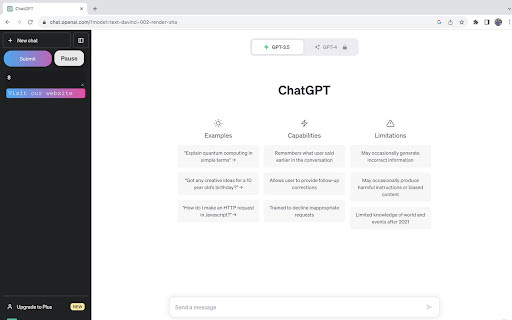
What is Gptenhancer?
A browser extension that enhances ChatGPT by integrating files into the conversation context.
GPT-Enhancer ai chrome extension? GPT-Enhancer is a browser extension designed to enhance the user's interaction with ChatGPT. It allows users to seamlessly integrate any file type into their ChatGPT context/history, enabling the AI model to provide more accurate and contextually aware responses. It is particularly useful for developers, as it can read programming files to assist in debugging and test writing. The extension is continuously improving with upcoming features like Smart Highlighting, Conversation Summaries, and Chat Bookmarking.
Core Features
File integration into ChatGPT context
Custom prompt input
Support for various file types
Chunked file uploading
Privacy-focused data handling
Popular Use Cases
- Debugging code with ChatGPT by uploading programming files
- Improving ChatGPT responses by providing relevant context from documents
- Creating more informed and accurate AI conversations
Feature Comparison
A functional comparison based on maker input.
To be verified.
Comparison details are provided for informational purposes and should be verified with the official website.
How to use
- To upload a file
- click the 'Submit' button
- specify the desired delay between chunks
- select the file
- and click 'Submit' again. During upload
- the button turns yellow. Press 'Stop Generating' when GPT starts answering. The button turns green upon completion. Optionally
- users can now provide a 100-word custom prompt before submitting the file.
Pricing
Gptenhancer uses a free pricing model. Pricing and features may change over time.
Free
$0
To be verified
Pro
To be verified
To be verified
Team
To be verified
To be verified
Enterprise
To be verified
To be verified
Deal / Coupon
No coupon listed.
Why is it fantastic?
No review tags yet.
What can be improved?
No review tags yet.
Frequently Asked Questions
Verification
Tool status
To be verified
Pricing verified
To be verified
Founder claimed
No / To be verified
Source
Official website / Community submitted
Related Tags
AI WritingContent GenerationResearchEmail WritingSummarizationRewritingAcademic ResearchBrowser ExtensionFreemium
Own this tool?
Claim this profile to update product information, pricing, and official answers.