DocsToAudio

To be verified
Convert EPUB, PDF, DOCX & TXT to MP3 or M4B audiobooks. Free tier: 300+ voices, no sign-up, no size limits. Premium tier: 800+ ElevenLabs AI voices. No subscriptions.
WebsiteFreemiumFree TrialBrowser ExtensionFree
Visit Website
Overall score
(0 reviews)
docstoaudio.online/
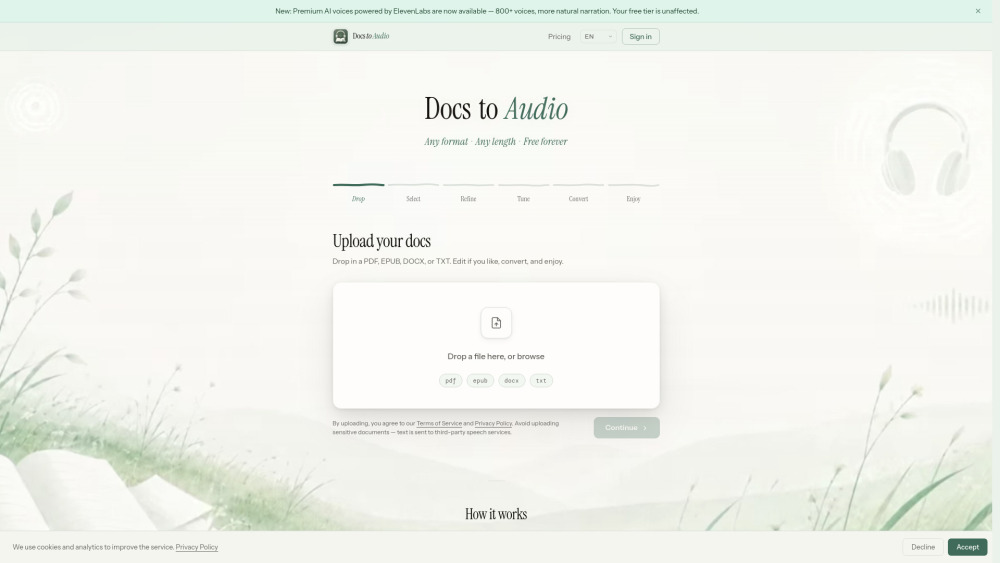
DocsToAudio website screenshot
What is DocsToAudio?

DocsToAudio is an online document-to-audiobook converter that turns your EPUB, PDF, DOCX, and TXT files into downloadable MP3 or M4B audiobooks. The **Standard tier** is completely free, requires no account, and imposes no file size limits. It offers 300+ voices across 30+ languages, so you can listen to any document in your preferred language and voice. The **Premium tier** unlocks 800+ ElevenLabs AI voices across 50+ languages for more expressive, human-like narration. Premium uses a pay-as-you-go credit system — no subscription, no recurring fees. You can preview any voice before committing to a conversion.

Convert EPUB, PDF, DOCX & TXT to MP3 or M4B audiobooks. Free tier: 300+ voices, no sign-up, no size limits. Premium tier: 800+ ElevenLabs AI voices. No subscriptions.

Core Features
Convert PDF, EPUB, DOCX, and TXT files to MP3 or M4B audiobooks
Standard tier: 300+ voices, 30+ languages, completely free, no account required
Premium tier: 800+ ElevenLabs AI voices, 50+ languages, pay-as-you-go credits
Chapter-level selection with word count and estimated listening time
Text preview and editing before conversion
Voice preview before committing to a conversion
No file size limits
Download as individual MP3 files (ZIP) or single M4B with chapter marks
Resume interrupted conversions
Popular Use Cases
  • Turn eBooks or PDFs into audiobooks for commuting or exercising
  • Convert study materials
  • research papers
  • or textbooks into audio for passive learning
  • Listen to long DOCX reports or TXT documents hands-free
  • Create narrated audio versions of blog posts or articles saved as PDF
  • Produce accessible audio content from documents for people with visual impairments
  • Batch-convert book chapters into podcast-ready MP3 files
Feature Comparison
A functional comparison based on maker input.
To be verified
Comparison details are provided for informational purposes and should be verified with the official website.
How to use
  • 1. Go to **https://docstoaudio.online** — no sign-up needed for the free tier. 2. Drag and drop or browse to upload your PDF
  • EPUB
  • DOCX
  • or TXT file. 3. Select the chapters you want to convert. 4. (Optional) Preview and edit the extracted text. 5. Choose a voice. Click **Generate Preview** to hear a sample. 6. Click **Convert** and keep the tab open while it processes. 7. When done
  • download your audiobook as a ZIP of MP3 files or a single M4B file. For the **Premium tier**: sign in with Google or email
  • purchase credits from your Account page
  • then select any ElevenLabs voice in the voice picker.

Pricing
DocsToAudio uses a Freemium pricing model. Pricing and features may change over time.
Standard
Free
300+ voices, 30+ languages, unlimited conversions, no account required, no hidden fees — ever
Premium
From $15 (pay-as-you-go credits)
800+ ElevenLabs AI voices, 50+ languages, more natural narration, credits valid for 1 year, no subscription
Deal / Coupon
No coupon listed.
Why is it fantastic?
No review tags yet.
What can be improved?
No review tags yet.
Frequently Asked Questions

Verification
Tool status
To be verified
Pricing verified
To be verified
Founder claimed
No / To be verified
Source
Official website / Community submitted
Related Tags
AI WritingContent GenerationResearchEmail WritingSummarizationRewritingAcademic ResearchBrowser ExtensionFreemium
Own this tool?
Claim this profile to update product information, pricing, and official answers.