Added Jun 30, 2026

Boom Video
Mac video app for professional live presentations and screen recordings with no editing.
AI WritingContent GenerationResearchEmail WritingSummarizationRewritingAcademic ResearchBrowser Extension


Overview
What is Boom Video?
Boom is a Mac-only video application designed for serious presenters, including coaches, creators,
Mac video app for professional live presentations and screen recordings with no editing.
Core Features
Present live with pro layouts and cinematic transitions (Dynamic Layouts, Cinematic Zoom)
Studio-quality screen recording with no editing or timeline required (Instant HD export)
Virtual Camera and webcam enhancements (AI tools, custom backgrounds, camera controls)
OBS alternative built for ease of use
Integration with Stream Deck for physical control
Popular Use Cases
- Conducting engaging live presentations on Zoom, Meet, or Teams.
- Recording demos, tutorials, and walkthroughs that are ready to share instantly.
- Creating polished online courses and lectures.
- Enhancing personal brand and professional appearance during video calls.
How to use
- Users download the Boom Mac app
- which acts as a virtual camera selectable within video conferencing tools (Zoom
- Meet
- Teams). During live presentations or screen recordings
- users can switch between dynamic layouts (camera-only
- side-by-side
- screen)
- apply cinematic zoom
- add branded overlays (logos
- lower thirds)
- and utilize AI camera enhancements (skin smoothing
- background removal). Controls are managed via a floating mini remote
Pricing
Boom Video uses a Freemium pricing model. Pricing and features may change over time.
Pro Plan (Yearly)
$10 USD/Month (Billed Annually)
Everything you need to turn your webcam into a production studio. Includes live presentations, dynamic layouts, cinematic zoom, branded themes, studio-quality recording, AI camera tools, and reactions.
Lifetime
$360 USD
Includes all Boom Pro features and all future updates.
Deal / Coupon
No coupon listed.
Why is it fantastic?
No review tags yet.
What can be improved?
No review tags yet.
Frequently Asked Questions
Product Timeline
To be verified
Boom Video Reviews
The community submitted 0 reviews to tell us what they like about Boom Video, what Boom Video can do better, and more.
—
Based on 0 reviews
Ease of Use
Output Quality
Reliability
Value for Money
Customization
Review Boom Video?
Pros (0)
No tags.
Cons (0)
No tags.
No reviews yet.
Verification
Tool status
To be verified
Pricing verified
To be verified
Founder claimed
No / To be verified
Source
Official website / Community submitted
Related Tags
AI WritingContent GenerationResearchEmail WritingSummarizationRewritingAcademic ResearchBrowser ExtensionFreemium
Own this tool?
Claim this profile to update product information, pricing, and official answers.
Top alternatives

Veo Co
Sports tracking cameras and AI analysis tools for recording and improving team performance.

Pixellot Tv
AI-automated sports camera, streaming, and analytics for live game broadcasts and analysis.


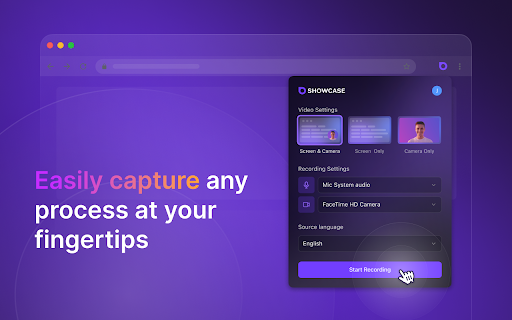
Showcase Screen Recorder Video Translator
Intelligent screen recorder and video translator for global audiences.

Easyspeak

Video Assistant By Muse Ai
Ad-free video hosting with AI-powered search, embedding, and monetization tools.

Motionik
Screen recorder and editor for product demos, tutorials, and explainer videos.


Cinema8 Screen Recording Video Engagement
Screen recording extension with interactive elements for sales and training.

Canvid For Windows

Detail AI
Video and podcast recording and editing platform with AI-powered features.