
DocsToAudio
검증 예정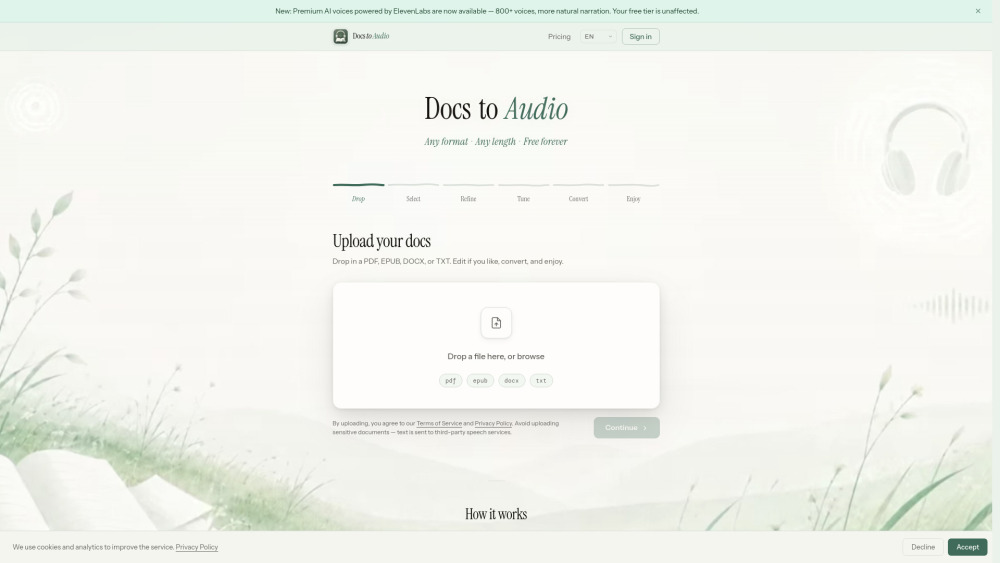
DocsToAudio is an online document-to-audiobook converter that turns your EPUB, PDF, DOCX, and TXT files into downloadable MP3 or M4B audiobooks. The **Standard tier** is completely free, requires no account, and imposes no file size limits. It offers 300+ voices across 30+ languages, so you can listen to any document in your preferred language and voice. The **Premium tier** unlocks 800+ ElevenLabs AI voices across 50+ languages for more expressive, human-like narration. Premium uses a pay-as-you-go credit system — no subscription, no recurring fees. You can preview any voice before committing to a conversion.
Convert EPUB, PDF, DOCX & TXT to MP3 or M4B audiobooks. Free tier: 300+ voices, no sign-up, no size limits. Premium tier: 800+ ElevenLabs AI voices. No subscriptions.
- Turn eBooks or PDFs into audiobooks for commuting or exercising
- Convert study materials
- research papers
- or textbooks into audio for passive learning
- Listen to long DOCX reports or TXT documents hands-free
- Create narrated audio versions of blog posts or articles saved as PDF
- Produce accessible audio content from documents for people with visual impairments
- Batch-convert book chapters into podcast-ready MP3 files
- 1. Go to **https://docstoaudio.online** — no sign-up needed for the free tier. 2. Drag and drop or browse to upload your PDF
- EPUB
- DOCX
- or TXT file. 3. Select the chapters you want to convert. 4. (Optional) Preview and edit the extracted text. 5. Choose a voice. Click **Generate Preview** to hear a sample. 6. Click **Convert** and keep the tab open while it processes. 7. When done
- download your audiobook as a ZIP of MP3 files or a single M4B file. For the **Premium tier**: sign in with Google or email
- purchase credits from your Account page
- then select any ElevenLabs voice in the voice picker.
