
Carve
Por verificarPor verificar
AI render studio turning sketches and CAD files into photorealistic visuals.
FreemiumFree TrialWebsitePaid
Puntuacion general
—(0 resenas)
carve.so/
Que es Carve?
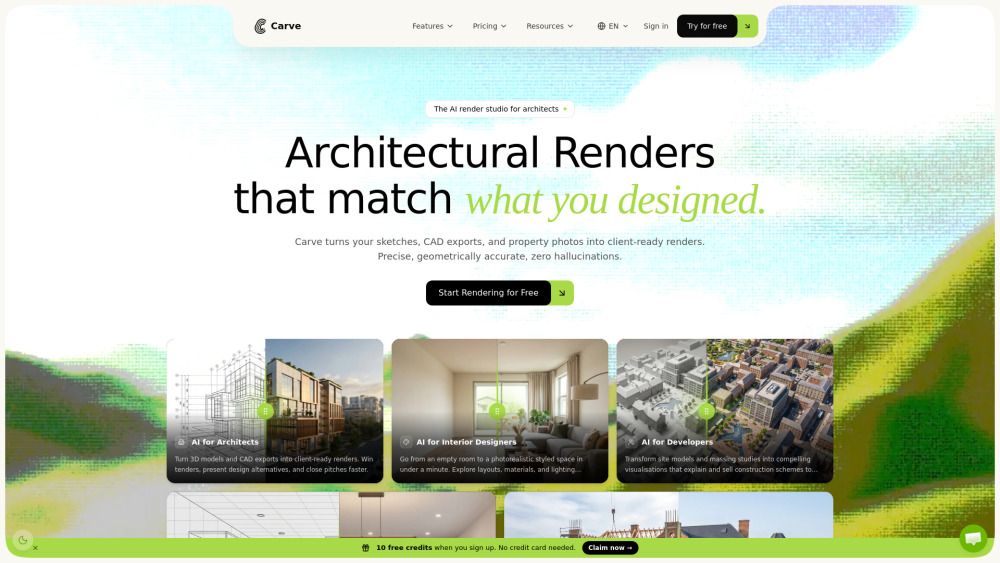
Carve is an AI-powered architectural rendering studio that converts sketches, CAD exports, and property photos into client-ready, photorealistic visualizations in under a minute. It is specifically designed for professionals across architecture, interior design, and real estate, allowing them to explore design variations, staging options, and cinematic animations instantly within their browser without requiring expensive rendering hardware or long studio turnaround times.
AI render studio turning sketches and CAD files into photorealistic visuals.
Funciones principales
AI Interior and Exterior Rendering with 49+ photorealistic styles
Sketch to Image generation with edge-preserving control
Virtual Staging AI to automatically furnish empty rooms
Animate AI with 20 motion presets for 5-second cinematic clips
Render Tree workflow for branching and following visual variations
Collaborative AI Canvas with version control and real-time presence
GDPR-compliant EU hosting with workspace-scoped isolation and no AI model training on user uploads
Casos de uso populares
- Architects turning SketchUp, Revit, or Blender models into client-ready concept presentations
- Interior designers generating instant material, lighting, and layout options for clients
- Real estate agents creating quick virtual staging and promotional imagery for property listings
- Developers creating site model and massing study visualizations to pitch to investors
- Kitchen builders and carpenters rendering bespoke designs to justify premium pricing
Feature Comparison
A functional comparison based on maker input.
Por verificar
Comparison details are provided for informational purposes and should be verified with the official website.
Como usar
- To use Carve
- upload an image file such as a hand sketch
- CAD export (converted to an image)
- or property photo. Select your desired tool and style
- then let Carve's diffusion engine process the design into a photorealistic render in under 60 seconds. You can then branch out designs using the render tree
- edit specific areas
- or generate cinematic motion clips.
Precios
Carve usa un modelo de precios Freemium. Los precios y las funciones pueden cambiar con el tiempo.
Free to try
Free
10 free credits when you sign up, usable on any tool (renders, edits, animations, upscales). No credit card required.
Starter
$29 /month
150 credits per month, all interior + exterior styles, render, edit & animate included, 4K resolution output, text-prompt & area edits, full history & version tree, standard queue, live chat support.
Pro
$49 /month
600 credits per month, priority generation queue, shareable gallery links, upscale up to 8K, priority live chat support, and all Starter features.
Agency
$99 /month
1500 credits per month, unlimited team seats + workspaces, brand presets, dedicated Slack / live chat support, and all Pro features.
Top-up 25 credits
$7
One-time purchase of 25 credits ($0.28 per credit). Credits roll forward indefinitely.
Top-up Boost 100 credits
$19
One-time purchase of 100 credits ($0.19 per credit). Credits roll forward indefinitely.
Top-up Bulk 500 credits
$79
One-time purchase of 500 credits ($0.16 per credit). Credits roll forward indefinitely.
Oferta / Cupon
No hay cupones listados.
Por que destaca?
Todavia no hay etiquetas de resena.
Que se puede mejorar?
Todavia no hay etiquetas de resena.
Preguntas frecuentes
Verification
Tool status
Por verificar
Pricing verified
Por verificar
Founder claimed
No / To be verified
Source
Official website / Community submitted
Related Tags
AI WritingContent GenerationResearchEmail WritingSummarizationRewritingAcademic ResearchBrowser ExtensionFreemium
Own this tool?
Claim this profile to update product information, pricing, and official answers.